From sign-up to your first message
Sign up and watch your first automatic WhatsApp message arrive in your own chat.
 Video coming soon
In this video
- 0:00Sign up at blueticks.co
- 0:18Connect your WhatsApp
- 0:29Schedule your first message
- 0:43You're all set
Steps
- 1
Go to blueticks.co and click Start free.
- 2
Click Continue with Google, or enter your work email and a password and click Create free account. No credit card required.
- 3
On Let’s connect your WhatsApp, choose On this computer (Free) and click Start free.
- 4
Follow the three steps: Add Blueticks to Chrome, Open WhatsApp Web, then Connected. Each step ticks itself the moment it’s done.
- 5
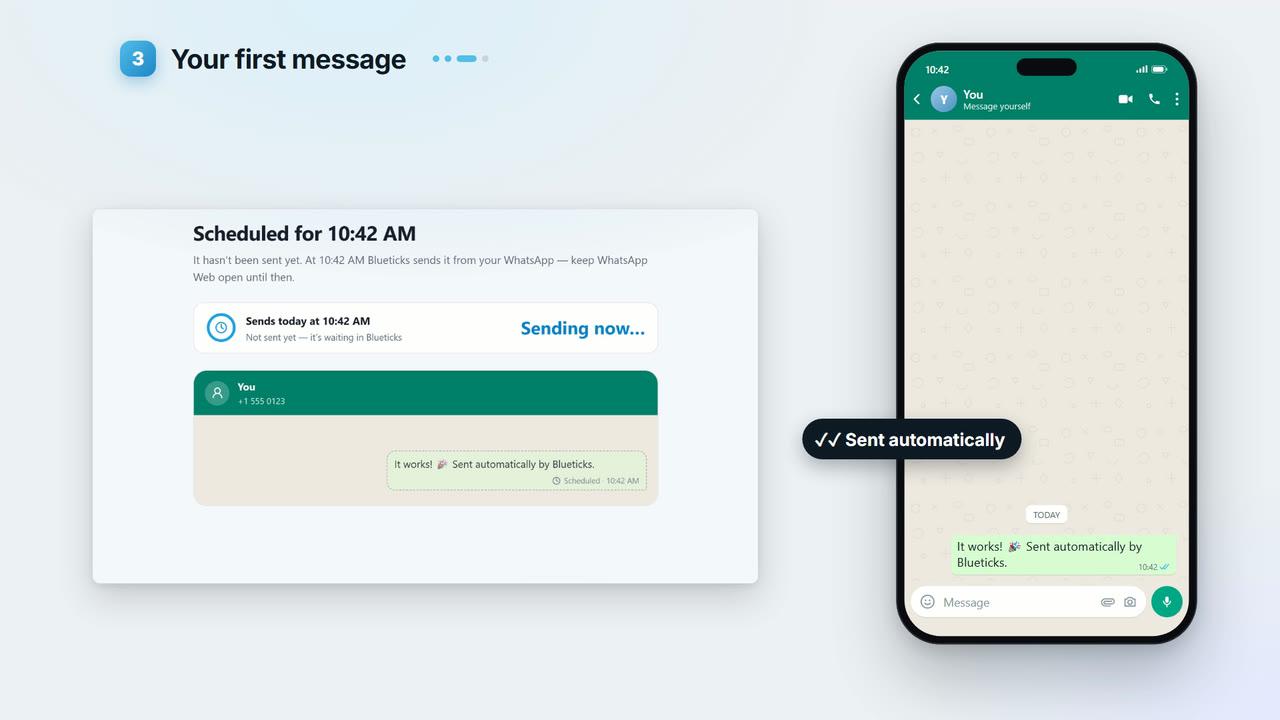
On Now, schedule your first message, click Schedule it. Blueticks sends it to you.
- 6
When it arrives in your own chat, you see It’s out! You’re all set. Click Schedule a real message to keep going.
Key points
- There is no email verification step. After sign-up the app opens, and setup opens by itself a few seconds later. Skipped it? Click Finish connecting in the sidebar.
- Your first message goes to yourself, so it is safe to try.
- If WhatsApp Web shows a QR code, scan it once with your phone. When your chats appear, you’re connected.
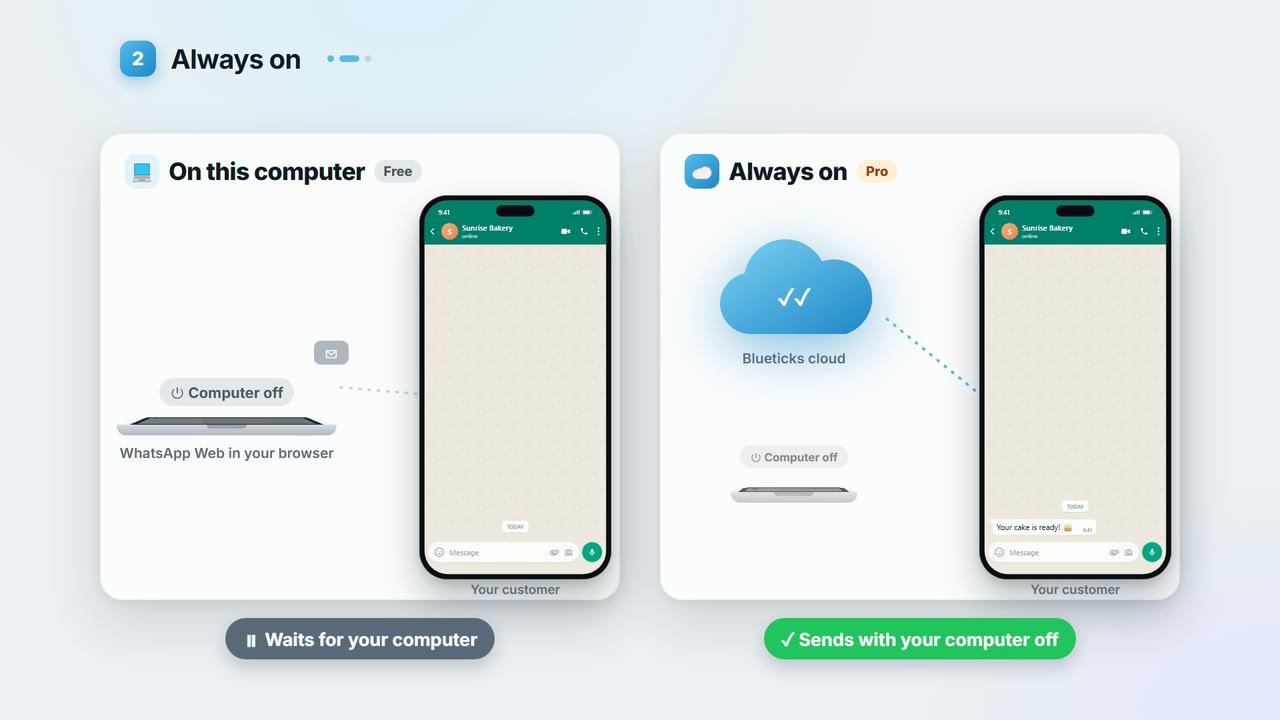
- Want it to send with your computer off? Pick Set up always-on instead. Lesson 1.2 explains both options.
Full transcript
Two minutes from now, Blueticks will send its first WhatsApp message for you. Let's go.
Go to blueticks.co, and click Start free. Sign up with Google, or with an email and a password. No credit card needed. Now Blueticks walks you through three quick steps.
First, connect the WhatsApp number you already use. On this computer is free. Add Blueticks to Chrome, and open WhatsApp Web. Each step ticks itself the moment it's done. Next, your first message.
Blueticks sends it to you, so you can watch it arrive. Click Schedule it.
Within a minute, there it is, in your own chat. Sent automatically.
That's it. You're all set, and your planner is ready for the real thing.
Start free today, at blueticks.co.