

Use Blueticks from Claude
Connect Claude once, then just ask it to schedule your WhatsApp messages.
 Video coming soon
In this video
- 0:00Open AI MCP in Blueticks
- 0:13Copy your MCP link and open Claude's Connectors
- 0:23Add a custom connector and authorize
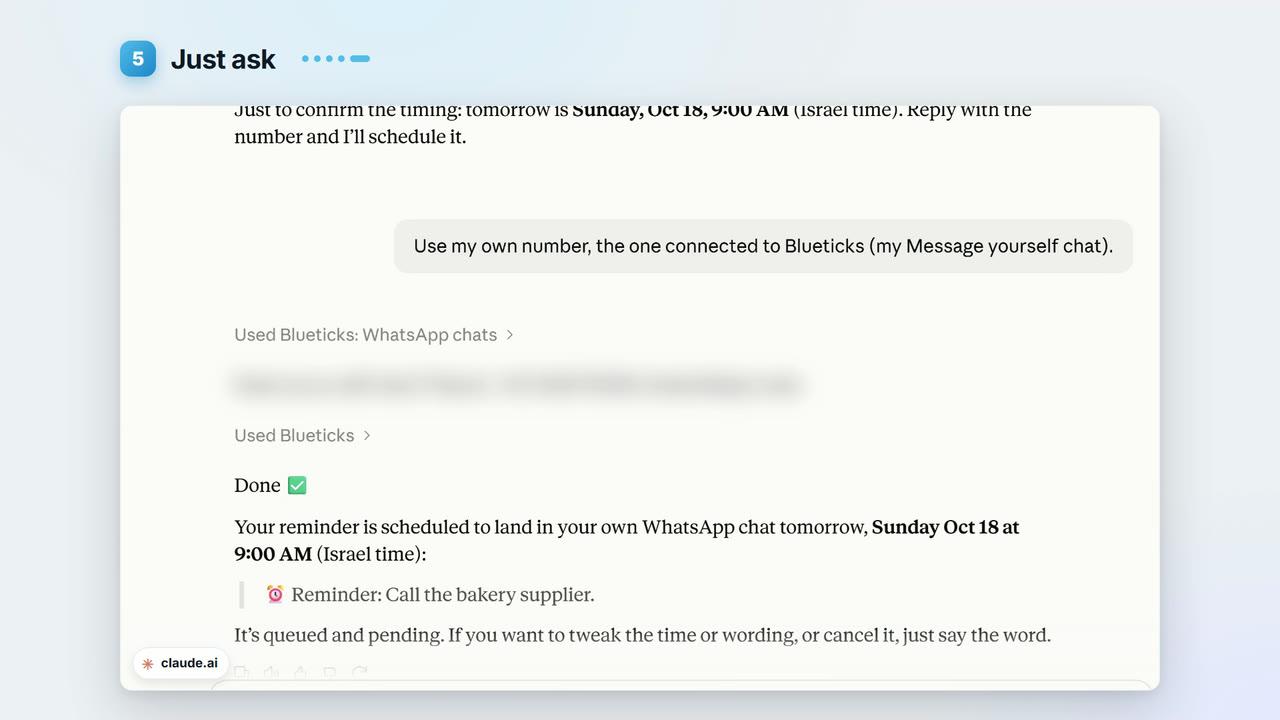
- 0:38Just ask Claude
- 0:54It lands in your Message Planner
Steps
- 1
In Blueticks, click AI MCP and choose Claude.
- 2
Step 1: copy your MCP link.
- 3
Step 2: in Claude, open Customize › Connectors. (The dialog’s Go to Claude Connectors Page button opens an older Claude page that points you to the same place.)
- 4
Step 3: click Add, then Add custom connector. Name it Blueticks, paste the link, click Continue, and follow Claude’s prompts to Add it.
- 5
Step 4: Claude sends you to Blueticks to sign in. Check what it’s asking for and click Authorize.
- 6
Now just ask, for example: “Send me a WhatsApp reminder tomorrow at nine to call the supplier.” Allow the tool when Claude asks.
Key points
- Claude asks before it uses a Blueticks tool, unless you chose Allow always for it.
- Messages Claude schedules land in your Message Planner, like any other message.
- Claude can also read your chats and see your campaigns.
- ChatGPT is also listed under AI MCP.
Full transcript
What if you could just ask Claude to handle your WhatsApp? With Blueticks, you can. Setup takes about a minute. In Blueticks, click AI MCP, and choose Claude.
Step one. Copy your MCP link.
Step two. Open Claude's Connectors page. It now lives under Customize.
Step three. Click Add, then Add custom connector. Name it Blueticks, paste the link, and continue.
Step four. Claude sends you to Blueticks.
Check what it's asking for, and click Authorize.
That's it. Now, just ask. Send me a WhatsApp reminder tomorrow at nine, to call the bakery supplier.
Claude asks before it uses a tool. Allow it, and it schedules the message, and tells you when it will go out.
It lands in your Message Planner, like any other message.
Claude can also read your chats, and create campaigns for you. Connect Claude to Blueticks today, at app.blueticks.co.