

Abandoned Cart WhatsApp Recovery: How to Win Back Lost Sales in 2026
70.22% of carts get abandoned. Here is the abandoned cart WhatsApp recovery playbook: sequence timing, template categories, opt-in rules, and the math.
Maya Cohen10 min read

On this page
- Why does WhatsApp beat email for abandoned cart recovery?
- What is the 24-hour WhatsApp Business messaging window, and how does it affect cart recovery?
- Which WhatsApp template category should you use for abandoned cart messages?
- How do you set up an abandoned cart WhatsApp recovery sequence (timing and message count)?
- What should each abandoned cart WhatsApp message say? (copy examples)
- Do you need opt-in to send abandoned cart WhatsApp messages?
- How do you measure WhatsApp cart recovery rate and ROAS?
- API vs. scheduled messages: what's the right way to send WhatsApp cart recovery for your store size?
- FAQ
Seven out of ten people who add to cart never pay. The Baymard Institute puts the documented average online shopping cart abandonment rate at 70.22%, calculated across 50 separate studies (Baymard Institute, 2026). For a store doing $50,000 a month in completed orders, that 70% is not a rounding error. It is the majority of your demand walking out the door after they already told you what they want.
Email is the default recovery channel, and it underperforms. Post-Apple Mail Privacy Protection, email open rates sit around 20-25%. WhatsApp recovery messages get read at a far higher rate, which is why stores are moving cart recovery to the channel customers actually open. This guide covers the full abandoned cart WhatsApp playbook: how the 24-hour window works, which template category to use, the recovery sequence timing, the copy, the opt-in rules that keep your number from getting blocked, and how to measure recovery rate and ROAS.
Why does WhatsApp beat email for abandoned cart recovery?
WhatsApp beats email for cart recovery because messages land where the customer already lives. Email open rates run 20-25% after Apple Mail Privacy Protection; WhatsApp read rates run materially higher because the message arrives as a phone notification, not a promotions-tab entry. Higher reads mean more recovered carts from the same abandoner list, which is the only number that matters.
Email recovery is not dead. It is just leaky at the top of the funnel. If a recovery email is never opened, the discount inside it never gets seen and the cart never gets recovered. WhatsApp inverts that. The message shows up as a notification on the lock screen, with a read receipt confirming it was seen. Read rates for opt-in WhatsApp broadcasts are commonly measured in the 60-80% range depending on segmentation, versus the 20-25% email benchmark. That gap compounds. If WhatsApp gets read three times more often than email, and your recovery copy and timing are equal, you recover roughly three times the carts from the same list.
The other advantage is reply speed. A cart abandoner with a question ("does this ship to my city?", "is the discount stackable?") can answer it inside the same thread in seconds. Email forces a new round trip. As one ecommerce operator running recovery flows put it: "The carts we recover on WhatsApp are the ones where the customer had one small objection. They reply, we answer, they buy. On email that conversation never starts." For the full scaling picture, see our WhatsApp ecommerce at scale Shopify case study.
What is the 24-hour WhatsApp Business messaging window, and how does it affect cart recovery?
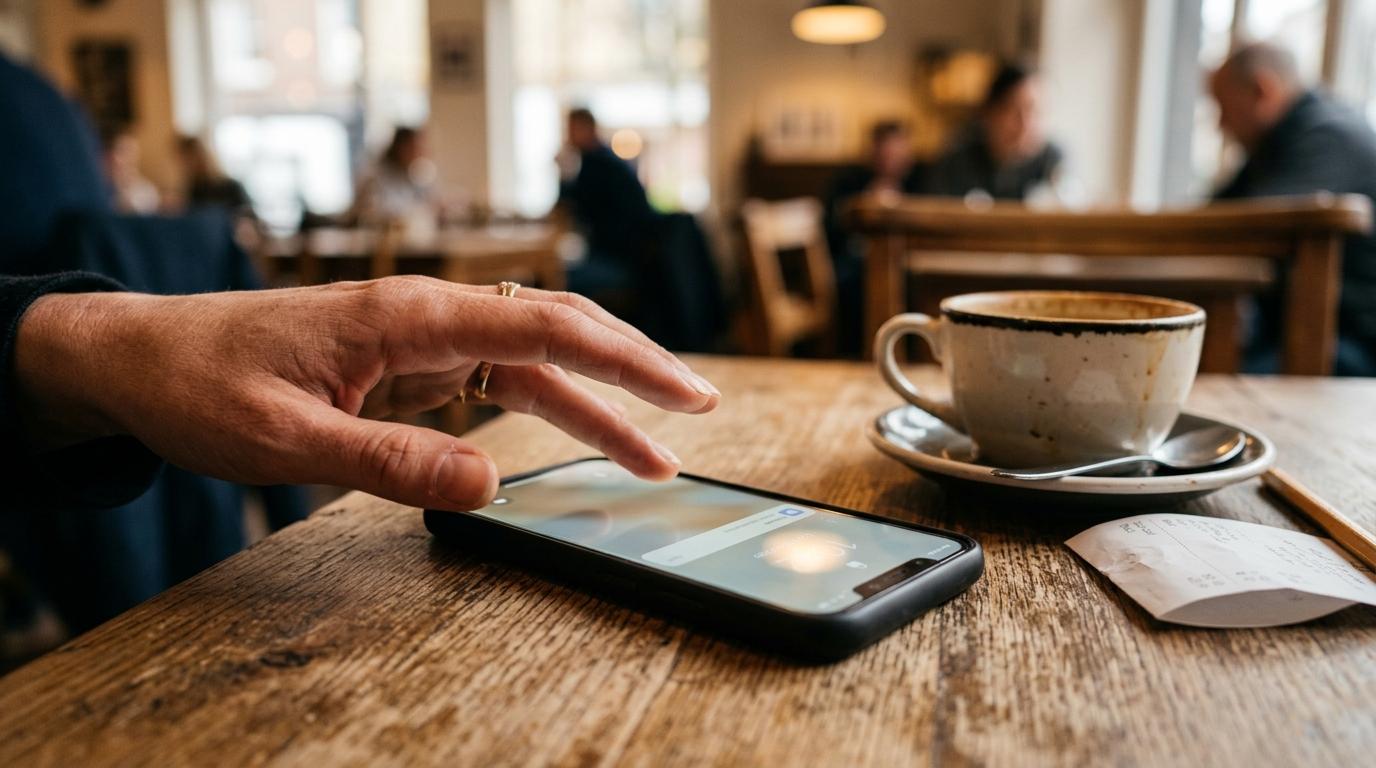
The 24-hour window is WhatsApp's rule that a business can send free-form messages to a customer only within 24 hours of that customer's last inbound message. Outside that window, you may only send an approved message template (Meta for Developers). Cart recovery almost always falls outside the window, so it requires a template.
Here is why this matters for recovery. When a customer adds to cart and leaves, they have not messaged you. There is no open 24-hour window. Your recovery message is business-initiated outreach to someone who is not in an active conversation. Per Meta's rules, that message must use a pre-approved template. You cannot just type "Hey, you left something in your cart" and fire it off through the API. That free-form text is only allowed if the customer messaged you in the last 24 hours.
The window does help you once the customer replies. The moment an abandoner answers your recovery template, a 24-hour window opens and you can send free-form messages: answer their shipping question, drop a one-time code, send a product photo, all without templates. The compliance trap is this: businesses that try to run recovery as free-form blasts outside the window get messages rejected or, worse, accumulate a poor account quality rating. Build the recovery flow as templates first, free-form conversation second. Our WhatsApp campaign management guide covers how to structure those sends.
Which WhatsApp template category should you use for abandoned cart messages?
Abandoned cart reminders fall under the marketing template category. Meta classifies templates into marketing, utility, authentication, and service. Marketing covers any message with a commercial or promotional objective, including offers and re-engagement; utility covers transactional follow-ups to a user action like order confirmations (Meta for Developers). A "come back and buy" nudge is commercial, so it is marketing.
This categorization is not optional and you do not get the final say. When you submit a template, you propose a category, and WhatsApp validates the category against the actual content. Review can take up to 24 hours. If you label a cart-recovery message as utility to dodge marketing pricing, Meta re-categorizes it. The line is intent: a pure transactional notice ("Your order #1234 shipped") is utility; anything nudging a purchase that has not happened yet ("Still thinking it over? Here's 10% off") is marketing.
This has a direct cost consequence. As of July 1, 2025, Meta moved to per-message pricing, billing per delivered template message by category and recipient country (Meta for Developers pricing). Marketing templates are charged per message; utility templates can be free when delivered inside an open 24-hour window but are charged outside it. So cart recovery (marketing) carries a per-message cost you must price into your recovery-rate math. For the full breakdown, see our WhatsApp Business API pricing 2026 guide.
What breaks: mis-categorizing a marketing nudge as utility to save money does not save money. Meta re-categorizes it, and a pattern of mislabeled templates drags down your account quality rating, which throttles how many messages you can send.
How do you set up an abandoned cart WhatsApp recovery sequence (timing and message count)?
A WhatsApp cart recovery sequence is a short series of 2-3 templated messages sent over roughly 24-48 hours after abandonment, escalating from a gentle reminder to a time-bound incentive. Keep it short. WhatsApp is a high-intimacy channel, and over-messaging an abandoner who did not opt in tightly is the fastest way to earn a block and damage your sender rating.
Here is a recovery sequence that respects the channel and the rules:
-
Message 1 — 1 hour after abandonment (reminder, no discount). A marketing-category template: "You left items in your cart. They're still here. Want to finish up?" with a link back to the cart. No incentive yet. Many abandoners just got distracted, and you do not need to give margin away to recover them.
-
Message 2 — 24 hours later (soft incentive or social proof). If message 1 got no reply, send a second marketing template. Add a reason to act now: free shipping, a low-percentage code, or a "selling fast / low stock" note if it is true. Do not invent scarcity.
-
Message 3 — 48 hours after abandonment (final, time-bound offer). The last touch. A clear expiring incentive: "Your 10% code expires tonight." Then stop. A fourth and fifth message past this point produces blocks faster than sales.
Cap the sequence at three. Once an abandoner replies to any message, the 24-hour window opens and you switch to free-form conversation to close them, which is where the highest recovery rates come from. Time each send to the abandoner's local hours where you can; a 3 a.m. cart reminder gets muted. For pacing across a whole abandoner list, our WhatsApp campaign management guide covers send scheduling.

What should each abandoned cart WhatsApp message say? (copy examples)
A strong cart recovery message is short, names the specific item, leads with the customer's intent rather than your offer, and includes one clear action. WhatsApp copy that reads like an email blast underperforms. The channel feels personal, so the message should too. Keep each under 40 words and use one link.
Message 1 (reminder, marketing template):
Hi {{1}}, your {{2}} is still in your cart. Want to finish checking out? Here's your cart: {{3}}Message 2 (incentive, marketing template):
Hi {{1}}, still thinking about your {{2}}? Here's free shipping on us if you complete your order today: {{3}}Message 3 (final, time-bound):
Last call, {{1}}. Your 10% code SAVE10 expires at midnight. Grab your {{2}} before it's gone: {{3}}The {{1}}, {{2}}, {{3}} are template variables: name, product, cart link. Meta requires variables in approved templates, so you cannot free-type personalization outside an open window. Three rules that lift recovery rate:
- Name the product, not "your items." Specificity ("your Aergrind hand grinder") reconnects the customer to the exact thing they wanted.
- Lead with their intent. "Still thinking about your X" outperforms "We have an offer for you." The customer cares about their decision, not your promotion.
- One action only. One link, one verb. Do not bundle a newsletter signup or a "see more products" into a recovery message.
Avoid putting a discount in message 1. If a customer would have bought at full price, an early discount just burns margin. Save the incentive for the second and third touches. For collecting the consent that lets you send these at all, see our WhatsApp opt-in collection guide.
Do you need opt-in to send abandoned cart WhatsApp messages?
Yes. You must collect explicit opt-in before sending any business-initiated WhatsApp message, including cart recovery. Meta requires businesses to obtain opt-in permission, clearly state the business name, and clearly state that the person is agreeing to receive messages, before the first proactive message (Meta for Developers). Adding to cart is not opt-in. A checkbox consenting to WhatsApp messages is.
This is the compliance line that sinks most cart-recovery programs. A customer entering a phone number at checkout has given you a number, not consent to message them on WhatsApp. You need a distinct, affirmative opt-in: a checkbox at checkout ("Send me order and cart updates on WhatsApp"), a click-to-WhatsApp entry point, or a consent captured in your signup flow. The opt-in must name your business and state what they are signing up for.
What breaks: send marketing-category cart recovery to people who never opted in, and a meaningful share will block or report you. WhatsApp tracks a quality rating on your number, and a run of blocks and reports degrades it. A low quality rating throttles your daily messaging limits and, in the worst case, gets the number flagged. The recovery program that ignores opt-in does not just risk one rejected template; it risks the sender number the entire program runs on. Build opt-in collection before you build the recovery sequence. Our WhatsApp opt-in collection guide walks through compliant capture points.

How do you measure WhatsApp cart recovery rate and ROAS?
WhatsApp cart recovery rate is the percentage of abandoned carts that convert to a completed purchase after receiving your recovery sequence. Calculate it as recovered carts divided by total abandoned carts that entered the sequence. Then layer in the per-message template cost to get true ROAS, since marketing templates are billed per delivery.
The core formula:
Recovery rate = (carts recovered via WhatsApp / abandoned carts sent the sequence) × 100
Measure it against a holdout. Hold back a random 10% of abandoners who get no WhatsApp sequence. Some of them will return and buy on their own. The honest recovery rate is the lift over that holdout, not the raw conversion of messaged carts. If 12% of messaged carts convert and 4% of the holdout converts on its own, your true WhatsApp-driven recovery rate is the 8-point lift.
For ROAS, the cost side is concrete because marketing templates carry a per-message fee under Meta's per-message pricing. If a 3-message sequence costs you the marketing-template rate × up to three sends per abandoner, you can compute exact cost per recovered order:
Cost per recovered order = total template spend / orders recovered ROAS = recovered revenue / total template spend
Because abandoners are high-intent (they already chose the product), recovery ROAS typically beats cold acquisition campaigns. Track recovery rate, cost per recovered order, and the holdout lift together. One of those numbers alone will mislead you.
API vs. scheduled messages: what's the right way to send WhatsApp cart recovery for your store size?
The right method depends on volume and automation needs. High-volume, fully automated, real-time cart recovery requires the WhatsApp Business API: approved templates, opt-in management, per-message pricing, and a system that fires the sequence the moment a cart is abandoned. Smaller stores with periodic abandoner lists can run lighter recovery using scheduled and campaign sends through WhatsApp Web tools.
The API route is the right answer when you need event-triggered recovery at scale: a cart is abandoned, and within an hour a templated message fires automatically, with the full sequence and opt-in tracking handled by software. That is the model in our WhatsApp ecommerce at scale Shopify case study. It carries the template approval process, the per-message marketing-template cost, and the operational overhead of API management.
The lighter route fits stores that are not on the full API yet. If you export your abandoned-cart list periodically (say, daily) and want to send a recovery campaign to opted-in customers, a WhatsApp Web tool handles that. Blueticks is a Chrome extension for WhatsApp Web that does message scheduling, recurring messages, and bulk campaigns with CSV import and personalization. To be clear about what it is and is not: Blueticks is the scheduling and campaign layer that runs on top of WhatsApp Web. It does not provide a native ecommerce-platform integration that auto-detects cart abandonment in real time, and it is not a replacement for the WhatsApp Business API for high-volume automated flows. For a store that pulls an abandoner list and sends a scheduled, personalized recovery campaign to consenting customers, it is a fast, low-overhead way to start recovering carts before committing to full API infrastructure.
Start where your volume is. If you are recovering a few dozen carts a day from a list, scheduled campaigns get you moving this week. When real-time, event-triggered recovery at thousands of carts becomes the bottleneck, move to the API.
Start recovering lost carts with Blueticks
FAQ
Do abandoned cart WhatsApp messages need to be approved templates? Yes, when sent outside the 24-hour window, which cart recovery almost always is. A business-initiated message to a customer who has not messaged you in the last 24 hours must use a pre-approved template, and cart-recovery nudges fall under the marketing template category (Meta for Developers).
How many WhatsApp cart recovery messages should I send? Two to three over 24-48 hours. A reminder at 1 hour, a soft incentive at 24 hours, and a final time-bound offer at 48 hours. Stop after three. Over-messaging produces blocks and a degraded account quality rating faster than it produces sales.
Can I send a discount in the first cart recovery message? You can, but it usually wastes margin. Many abandoners were simply distracted and will return on a no-discount reminder. Hold the incentive for the second and third touches so you only discount the customers who actually need the nudge.
Do I need opt-in to send abandoned cart WhatsApp messages? Yes. Meta requires explicit opt-in before any business-initiated message, and adding to cart does not count. You need a distinct consent, such as a checkout checkbox naming your business and stating they will receive WhatsApp messages (Meta for Developers).
What is a good WhatsApp cart recovery rate? Measure lift over a holdout, not raw conversion. Hold back a random 10% of abandoners with no sequence, and report the difference between messaged-cart conversion and holdout conversion as your true recovery rate. That lift, plus cost per recovered order, is the honest scorecard.