
WhatsApp opt-in best practices mean getting explicit, documented consent before you message anyone: use double opt-in, state your business name and message purpose at signup, capture consent per channel, make opt-out easy, and never message purchased numbers.
- Get explicit prior consent before the first message you send.
- Use double opt-in so consent is confirmed and provable.
- Identify your business clearly at the point of opt-in.
- State exactly what they will receive and roughly how often.
- Capture opt-in separately on every channel (web, chat, in-store, CTWA).
- Keep a timestamped record of each consent for your own audit trail.
- Make opt-out obvious and honor STOP or unsubscribe immediately.
- Never message purchased, scraped, or assumed-consent numbers.
- Write consent wording that is specific and plain, not buried legalese.
- Match the opt-in method to the channel to lift conversion.
What are WhatsApp opt-in best practices?
WhatsApp opt-in best practices are the rules for collecting provable consent before you send a single message. Get explicit permission first, confirm it, say who you are and what you will send, capture it per channel, log it, and make leaving easy.
Here is why each rule earns its place:
- Explicit prior consent is the whole foundation. Meta's Business Messaging Policy says you may only message people who have given you their number and confirmed they wish to receive your messages.
- Double opt-in turns a checkbox into a confirmed action, so you can prove the person actually wanted in.
- Clear business identity at signup is a stated Meta requirement, not a nicety.
- Set expectations on content and frequency so the first message is never a surprise.
- Per-channel capture matters because consent on your website does not transfer to a number someone gave you in-store.
- A timestamped record is your evidence if a number's quality gets questioned.
- Easy opt-out is required by policy and protects your sender reputation.
- No purchased or scraped numbers, ever. This is the fastest route to a ban.
- Plain wording raises consent conversion and keeps the consent legally meaningful.
- Channel-matched methods are a growth lever: the right capture point for the context converts far better than a generic form.
The 10-rule opt-in checklist at a glance
Print the list above and keep it next to whoever builds your signup forms. The first eight rules are compliance. The last two are conversion. You need both, because a compliant list that nobody joins is not a list, and a big list you collected the wrong way is a liability that can get your number blocked.
Who these rules apply to (API or not)
These rules apply to any business messaging WhatsApp contacts, whether you run the WhatsApp Business Platform API or send from your own number through a tool like Blueticks. Consent is not an API feature you can buy your way out of. It sits with you, the sender, regardless of how the message leaves your account. If you have people's numbers and you are messaging them at scale, this checklist is yours.
Why does WhatsApp require opt-in at all?
WhatsApp requires opt-in because the platform's entire value is that it is not a spam channel. Meta's Business Messaging Policy is explicit: you may only contact people who have given you their phone number and from whom you have received opt-in permission confirming they wish to receive your messages. Consent is the price of access.

Meta puts the responsibility squarely on you. Per Meta's opt-in guidelines for developers, the business is "solely responsible for determining the method of opt-in" and for obtaining it in a way that complies with applicable law. Meta does not collect consent for you and does not vouch for your list. It sets the standard and enforces it after the fact.
The stakes are mechanical. If your number's quality tier stays low for a sustained period, Meta's systems will limit how many messages you can send. Keep violating and the WhatsApp Business Messaging Policy allows Meta to limit or remove your access entirely, and to prohibit your organization from all future use of WhatsApp products. Quality tier is driven heavily by how recipients react: people who never opted in block and report, and blocks and reports are what drag a number toward a ban. So opt-in is not paperwork. It is the thing standing between you and a dead number.
What Meta counts as valid consent
Meta's getting-opt-in documentation is specific about what a valid opt-in must communicate. It must "clearly state the business's name" that the person is opting in to hear from, and "clearly state that a person is opting in to receive communication from the business" over WhatsApp. On method, Meta says "it is up to businesses to determine the method of opt-in" and lists acceptable channels including your website, SMS, phone or IVR systems, and in-person or paper forms. In other words: any channel is fine, as long as the person actively agreed and you told them who you are and what they signed up for.
What counts as a violation
Three patterns are clear violations of the spirit and letter of the policy:
- Purchased or rented lists. These people never gave you their number or their permission. Messaging them is prohibited outright.
- Silent scraping. Pulling numbers from group chats, websites, or a WhatsApp group you admin is not consent. Being reachable is not opting in.
- Pre-checked boxes and bundled consent. A pre-ticked opt-in, or consent buried inside your general terms and conditions, is not the explicit, active agreement the policy requires.
Meta's policy also forbids messaging that is designed to "confuse, deceive, defraud, mislead, spam, or surprise" people. If a recipient would be surprised to hear from you, you probably do not have real consent.
What is double opt-in on WhatsApp, and do you actually need it?
Double opt-in is a two-step consent flow: the person requests to subscribe, then confirms that request in a second, separate action before you add them to your list. Single opt-in stops at step one. Double opt-in adds the confirmation, which is what turns "they ticked a box" into "they actively confirmed they want this."
To be honest about the rule: Meta does not publish a clause that literally says "you must use double opt-in." What Meta's Business Messaging Policy does require is opt-in permission "confirming that they wish to receive subsequent messages." Double opt-in is simply the cleanest way to produce that confirmation and to have it on record. It is a strong, widely expected best practice, inherited from email marketing consent norms, and it directly satisfies the "confirming" language in the policy.
Single vs double opt-in
| Single opt-in | Double opt-in | |
|---|---|---|
| Steps | One (form or box) | Two (request, then confirm) |
| Proof of intent | Weak | Strong, confirmed action |
| Bad-number risk | Higher (typos, fake entries) | Lower (confirmation filters them) |
| List quality | Larger, noisier | Slightly smaller, much cleaner |
| Deliverability effect | More blocks and reports | Fewer blocks, healthier quality tier |
The tradeoff is honest: double opt-in shrinks your raw signup count a little because some people never complete step two. But the people who drop off at confirmation were the ones most likely to block you later. A slightly smaller confirmed list protects the quality tier that keeps your number alive.
A double opt-in flow you can copy
- Person taps a click-to-chat link, submits your web form, or scans your QR code.
- You send one confirmation message: your business name, what they will receive, how often, and a plain instruction to reply YES to confirm.
- They reply YES. Only now do they enter your broadcast list.
- You store the timestamp, the channel, and the exact wording they agreed to.
- Anyone who does not confirm is never messaged again.
That is it. Five steps, and you now hold consent you can actually defend.
How should you word your opt-in consent?
Good WhatsApp consent wording does three jobs at once: it names your business, it states exactly what the person will receive and roughly how often, and it gives a one-line way out. Compliant wording and high-converting wording are the same thing here, because clarity is what makes people comfortable enough to say yes.
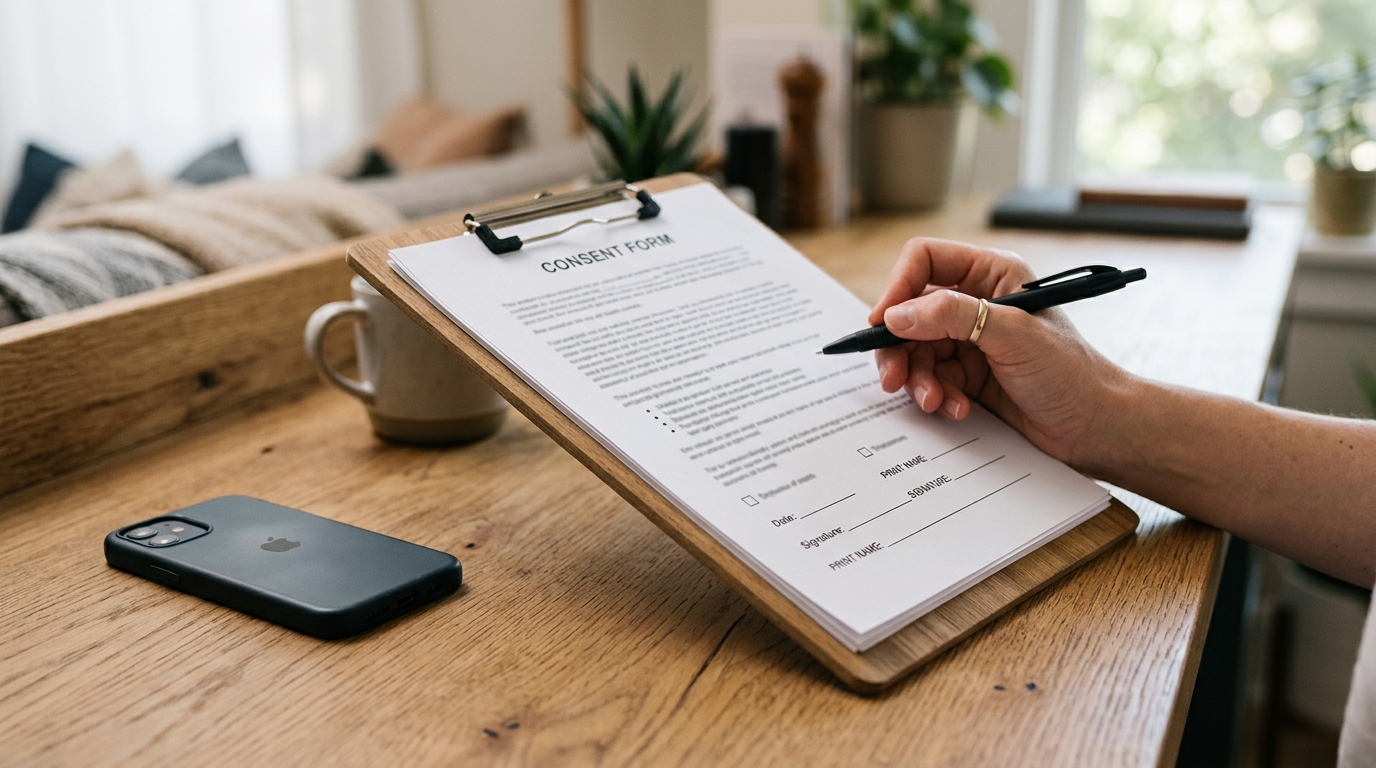
Here are two before-and-after rewrites.
Weak: "Sign up for updates." Strong: "Get order updates and weekly offers from Northlane Home on WhatsApp, about 2 messages a week. Reply STOP anytime to unsubscribe."
Weak: "By continuing you agree to receive communications." (buried in terms) Strong: "Yes, message me on WhatsApp with appointment reminders from Dr. Levy's clinic. I can reply STOP to opt out."
Notice the pattern in the strong versions: business name, specific content, rough frequency, and a visible exit. That is the full set of WhatsApp opt-in language requirements working together in one sentence.
A consent line template
Use this fill-in-the-blank structure at every capture point:
"Get [message type] from [business name] on WhatsApp, about [frequency]. Reply STOP anytime to unsubscribe."
Keep it above the button, not below it. Keep it in plain language, not legalese. The consent line is the last thing someone reads before they commit, so it should reduce hesitation, not add it.
Words that raise conversion vs words that raise abandonment
Words that help: your real business name, the concrete benefit ("order updates," "restock alerts," "appointment reminders"), a frequency number, and "reply STOP anytime." Specificity signals honesty.
Words that hurt: vague scope ("updates," "communications," "news"), pre-ticked boxes, consent bundled into terms and conditions, and anything that hides how often you will message. Vagueness reads as a trap, and people who feel trapped either abandon the form or opt in resentfully and block you on the first send. Both outcomes cost you.
Where do you capture opt-ins, and which channel converts best?
You capture WhatsApp opt-ins wherever you already have someone's attention and intent: your website, click-to-chat links, click-to-WhatsApp ads, in-store QR codes, and checkout. The best-converting channels are the high-intent ones, where the person is already in a transaction or has already raised their hand. Each channel needs its own separate consent capture.

This piece is the growth-and-consent playbook, so I will not re-teach the full channel menu here. Our master guide to WhatsApp opt-in collection across 9 channels walks every capture point in detail, and if you want the on-site route specifically, the WhatsApp opt-in widget how-to covers building the website capture step by step. Read those for the how. This section is about which ones are worth your time.
Channel-by-channel opt-in rates
Rough, directional ranking based on how much intent the moment carries. Treat the ranges below as illustrative planning estimates, not measured benchmarks, since real rates swing hard by industry and offer.1
| Capture point | Intent level | Illustrative opt-in rate | Why |
|---|---|---|---|
| Checkout consent line | High | 30 to 60 percent | The person is already buying; a reminder opt-in is a small add |
| Click-to-chat / they message first | High | Very high | They started the conversation; you just confirm |
| In-store QR at point of sale | Medium to high | 10 to 30 percent | Staff prompt plus a clear benefit drives scans |
| Click-to-WhatsApp ad | Medium | Varies by creative | Paid intent, but colder than an existing customer |
| Generic website popup | Low to medium | 1 to 5 percent | Broad reach, weak intent, easy to dismiss |
High-intent vs low-intent capture points
The lesson under the numbers: consent collected at a high-intent moment converts better and blocks less. Someone who opts in at checkout or after messaging you first is far less likely to report you than someone who tapped a popup they barely read. So do not just chase raw signups. Weight your effort toward the moments where the person already wants a relationship, and your list quality takes care of itself.
How do you keep a consented list clean and avoid getting flagged?
You keep a WhatsApp list clean by honoring opt-outs instantly, re-permissioning contacts who have gone quiet, not over-sending, and watching your quality signals. A consented list is not a one-time achievement. It decays, and if you ignore the decay, your block and report rate climbs until Meta throttles your number.

For the full compliance rule set, including the deeper policy detail, read our WhatsApp opt-in compliance requirements explainer. Here is the operational hygiene that keeps you off Meta's radar.
Handling opt-outs and STOP
Meta's guidance is direct: provide clear instructions for how people can opt out and honor those requests. Practically, that means:
- Recognize STOP, UNSUBSCRIBE, and obvious opt-out phrasing, and stop sending immediately.
- Remove the number from your active list the moment they ask, not at the end of a campaign.
- Never make someone ask twice. A second unwanted message after an opt-out is exactly the kind of thing that earns a report.
Fast, reliable opt-out handling is not just compliance. It is deliverability protection, because every honored opt-out is a report you did not get.
Warning signs your list is hurting deliverability
Watch for these:
- A rising share of sends that get blocked or reported.
- Your number's quality tier slipping after a broadcast.
- Falling read rates on a list that used to engage.
- Complaints or confused replies asking "who is this?" (a sign your consent or identity step is broken).
If you see these, stop broadcasting to the whole list and re-permission the stale segment: send one message asking people to confirm they still want to hear from you, and drop everyone who does not. A smaller engaged list beats a large one that is dragging your number toward a ban.
From consented list to campaign: what to do once people opt in
Once you have a list you have real consent for, the job shifts from collecting permission to actually messaging people well. This is where Blueticks fits: it schedules and broadcasts WhatsApp messages to your consented contacts from your own number, with no WhatsApp Business API and no per-message conversation fees. Be clear on the boundary, though, because it is a real one.
What Blueticks does and does not do for opt-in
Blueticks does not collect opt-ins for you. It is not a Meta hosted opt-in flow, it is not the WhatsApp Business API, and it is not a compliance shield. Getting valid consent, wording it correctly, logging it, and honoring opt-outs is your legal responsibility as the sender, exactly as Meta's policy states. No tool changes that.
What Blueticks is: the tool to message a list you already have permission for. If you have done the opt-in work above and you hold a genuinely consented list, Blueticks is how you send to it without wiring up API infrastructure. It runs on top of WhatsApp Web and sends from your existing number, so there is no per-message bill scaling with your list size.
Got a list you have consent for? Schedule and broadcast to it from your own WhatsApp number, no API setup, flat monthly pricing. Start free →
Scheduling and broadcasting to a consented list
With a clean list in hand, the mechanics are straightforward: import your consented contacts, personalize the message, and schedule the send or broadcast it now. For the full walkthrough on sending to many contacts at once without tripping WhatsApp's limits, see our guide to sending bulk WhatsApp messages. The consent is the hard part. Once you have it, the sending is the easy part, and it should stay that way.
FAQ
Do I need double opt-in for WhatsApp? Meta does not publish a rule that literally mandates double opt-in, but its Business Messaging Policy requires opt-in permission confirming the person wishes to receive your messages. Double opt-in is the cleanest way to produce and record that confirmation, and it is a widely expected best practice, so for any broadcast list it is strongly recommended.
Is buying a WhatsApp contact list against the rules? Yes. Meta's Business Messaging Policy only permits messaging people who gave you their number and confirmed they want your messages. Purchased, rented, or scraped lists fail both tests and can get your number rate-limited or banned. There is no compliant way to message a list you bought.
What consent wording does Meta require? Meta's opt-in guidelines require that your opt-in clearly states your business name and clearly states that the person is agreeing to receive communication from your business on WhatsApp. Add what they will receive, roughly how often, and a plain opt-out line, and you satisfy the requirement while also converting better.
Does Blueticks collect opt-ins for me? No. Blueticks sends to a consented list you already hold; it does not collect opt-ins, it is not a Meta hosted opt-in flow, and it is not the WhatsApp Business API. Obtaining and recording valid consent is your responsibility as the sender. Blueticks is the tool for messaging a list you already have permission for.
How do I let people unsubscribe from WhatsApp messages? Give a clear opt-out instruction in your messages, commonly "Reply STOP to unsubscribe," recognize STOP and similar phrases, and stop sending to that number immediately. Meta's guidance requires clear opt-out instructions and honoring them, and fast opt-out handling also protects your number's quality tier.
Compliance claims in this article are grounded in Meta's published WhatsApp guidance: the opt-in requirements for developers and the WhatsApp Business Messaging Policy. Meta does not publish a clause explicitly mandating double opt-in; it is presented here as a best practice that satisfies the policy's requirement for confirmed opt-in. Verify current policy language at the linked Meta sources before building your consent process.
Footnotes
-
The opt-in rate ranges in the channel table are illustrative planning estimates based on the relative intent of each capture moment, not measured benchmarks from a specific study. Real opt-in rates vary widely by industry, offer, and audience. Use them to rank channels, not to forecast exact numbers. ↩