You have six leads from this week. Three haven't replied to your first message. You know the follow-up should go out tomorrow, then again in a few days, and probably once more two weeks after that. You're not going to remember all of that. And you're definitely not going to write each message fresh when the moment arrives.
A WhatsApp automated follow-up sequence solves this. You write the messages once, schedule them, and they go out on time.
Here is how to build one from scratch.
What Is a WhatsApp Automated Follow-Up Sequence (and How Does It Differ from a One-Off Broadcast)?
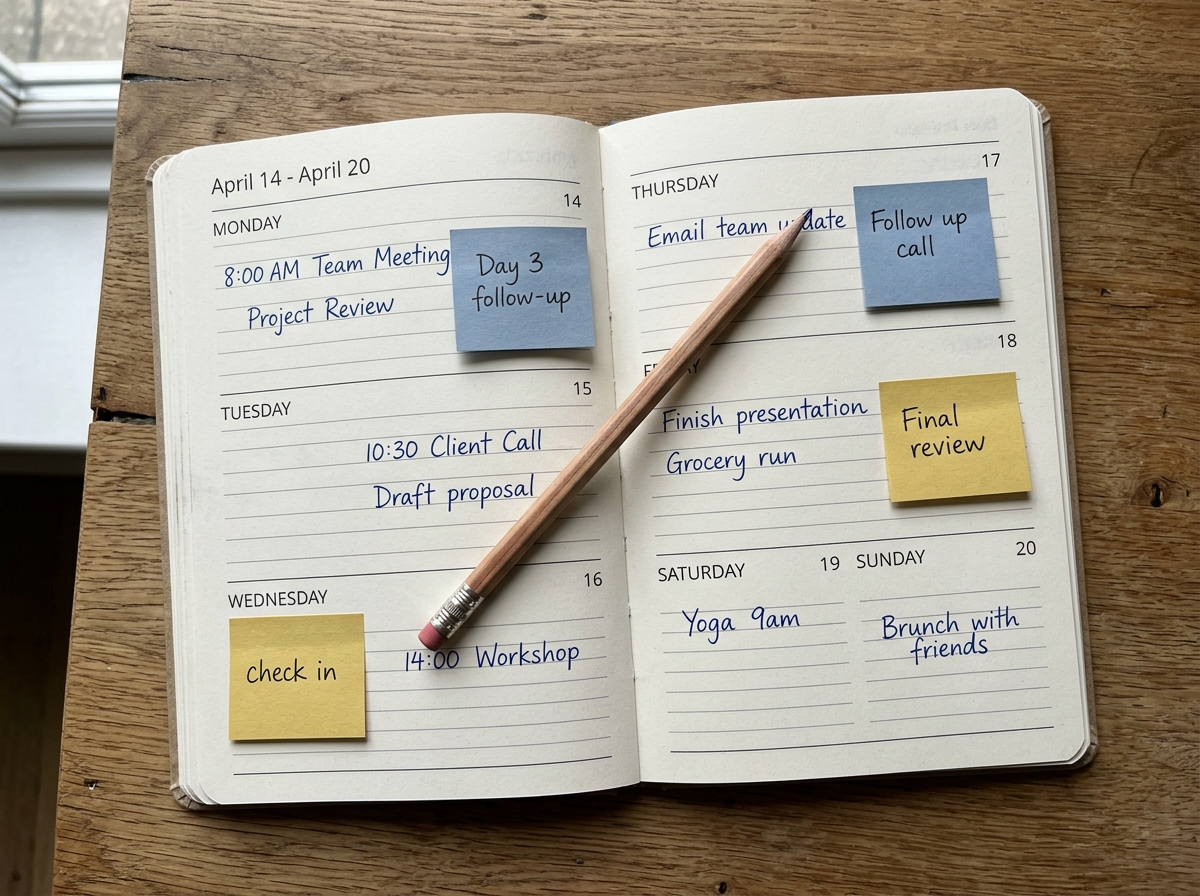
A WhatsApp automated follow-up sequence is a series of messages sent to the same contact at timed intervals, designed to move them from first contact toward a decision. Think: Day 1, Day 3, Day 7. One conversation thread, multiple touchpoints, each scheduled in advance. The "automation" is the scheduling itself.
A broadcast is the opposite shape: one message, many contacts, sent at the same moment. Broadcasts are good for announcements. Follow-up sequences are good for individual conversations that haven't converted yet. The mechanics are different, the intent is different, and the results are different.
One thing to be clear about from the start: building a WhatsApp follow-up sequence with a scheduling tool is not the same as building a branching automation. There is no "if they reply, skip to message 4" logic. You are scheduling real messages at specific times. If someone replies, you respond manually and cancel the remaining scheduled messages. That is the model. It is simpler than a CRM drip campaign, and on WhatsApp, simpler usually works better. Personal-feeling messages outperform scripted automation every time.
For the strategy-level view on WhatsApp drip sequences and how to structure longer campaigns, that article covers the framing. This one stays on the templates and the mechanics.
Which Follow-Up Sequence Types Convert Best on WhatsApp?
The WhatsApp lead nurturing types with the highest conversion rates are timely, event-triggered follow-ups: post-demo check-ins, sales lead follow-ups within 24 hours of first contact, and appointment reminders. They perform because the contact already knows who you are and has done something specific that makes a follow-up feel expected rather than intrusive.
Here is how the main types compare in practice:
| Sequence type | Best timing | What you are waiting for | Risk if you skip it |
|---|---|---|---|
| Sales lead follow-up | Day 1, Day 3, Day 7 | Demo booked or deal advanced | Lead goes cold within 48 hours |
| Post-demo check-in | 24-48 hours after demo | Proposal requested | Decision gets deferred indefinitely |
| Onboarding check-in | Day 3 and Day 7 post-signup | Key feature activated | Churn in the first two weeks |
| Re-engagement | After 2-4 weeks of silence | Any response at all | Lead lost permanently |
| Appointment reminder | 24 hours before | Show-up confirmed | No-shows that waste both parties' time |
A study summarised in Harvard Business Review found that sales reps who follow up with a new lead within the first hour are seven times more likely to qualify that lead than those who wait more than an hour. WhatsApp is the right channel to close that timing gap: messages are delivered instantly and read within minutes for most contacts.
Nurture sequences built on slow content drips over weeks are the hardest category to run on WhatsApp. They need more messages over a longer period, and that rhythm fits email better. Use WhatsApp for follow-ups tied to a specific event or moment. For a broader WhatsApp lead nurturing strategy that includes content-drip sequences, email is a better companion channel.
5 Ready-to-Use WhatsApp Follow-Up Message Templates
Five follow-up message types cover the scenarios that come up most in sales and onboarding: initial lead follow-up, post-demo check-in, day-3 onboarding touchpoint, re-engagement after silence, and appointment reminder. Each template below is written to feel personal rather than automated. Copy, swap the brackets, adjust the tone to match how you already talk with this person, and schedule it.
Template 1: Lead Follow-Up (Day 1 After First Contact)
Hey [Name], thanks for reaching out about [product or service]. Just checking my earlier message didn't get buried. Happy to answer any questions whenever works for you. What does your week look like for a quick chat?
Keep this short. The first follow-up is a nudge, not a second pitch. You are confirming the thread is still live.
Template 2: Post-Demo Check-In (24-48 Hours After a Demo)
Hey [Name], great talking through [product] with you. Did anything stand out as a strong fit for what you're working on? Happy to put together a short summary of the options we discussed if that would help move things along.
This one works because it invites a reply without pressuring a decision. The offer of a "short summary" gives someone a concrete reason to respond even if they are still evaluating.
Template 3: Onboarding Day-3 Check-In
Hey [Name], you're three days in. Hope the setup went smoothly. One thing people find useful at this stage: [specific action or feature tip relevant to your product]. Let me know if you hit any snags and I'll sort it out quickly.
Replace the bracket with something genuinely specific to your product. Generic onboarding messages get ignored. One concrete, actionable tip sends a different signal.
Template 4: Re-Engagement After 2+ Weeks of Silence
Hey [Name], I don't want to keep pinging you if the timing's off. If this isn't on your radar right now, just say the word and I'll stop. But if [main problem you solve] is still something you're working through, I'm here.
Honest and low-pressure. Giving someone permission to say no often generates more replies than another value pitch. Keep the tone exactly this calm. Do not add urgency or discounts to a re-engagement message.
Template 5: Appointment Reminder (24 Hours Before)
Hi [Name], quick reminder about our call tomorrow at [time]. Looking forward to it. If anything comes up and you need to reschedule, let me know and we'll find another slot.
For contacts with higher no-show rates, add a same-day version: "Hey [Name], just confirming we're still on for [time] today."
How to Set Up a WhatsApp Follow-Up Sequence Step by Step

Setting up a WhatsApp follow-up sequence takes four stages: mapping your touchpoints on paper first, writing all the messages before you schedule any of them, scheduling each one in Blueticks, and knowing what breaks the sequence so you can handle it. Get these in order and the sequence runs without you.
Step 1: Map your touchpoints before opening any tool
Write out the sequence structure first:
- Message 1: Day 0 (right after first contact or the following morning)
- Message 2: Day 2-3
- Message 3: Day 7
- Message 4: Day 14 (re-engagement, if still no reply)
This is your spine. If someone replies at message 2, you cancel messages 3 and 4 and continue the conversation live.
Step 2: Write all messages before scheduling anything
Write the complete set before you schedule any of them. This forces a consistency check across the whole sequence and lets you catch anything that would feel off when read in order.
Step 3: Schedule each message in Blueticks
For each message in your sequence:
- Open WhatsApp Web and navigate to the contact's chat
- Click the clock icon in the message input bar
- Paste your message
- Set the date and time for that touchpoint
- Click Schedule
Repeat for each step. Every scheduled message is visible in the Blueticks scheduler dashboard, where you can edit, cancel, or check status at any time.
What breaks the sequence
The contact replies. Check your dashboard and cancel the remaining scheduled messages immediately. An automated follow-up landing two days after a live phone call reads as careless.
Your machine is off at send time. Messages queue and send when WhatsApp Web reconnects. For time-critical sends like appointment reminders, this is a real problem. The fix: keep the machine on, or use Blueticks' gateway mode, which sends through a persistent cloud connection even when your browser is closed.
Your WhatsApp session expires. Your phone has to stay linked to WhatsApp Web. If the session drops because you logged out on your phone, queued messages wait until you reconnect. Verify your session is active before any high-stakes send.
What WhatsApp's Native App Cannot Do for Automated Follow-Ups
WhatsApp has no built-in outbound scheduler. There is no "send later" button, no recurring send option, and no native WhatsApp follow-up reminder automation in either the personal or Business app. The gap is real and it is not a configuration problem.
WhatsApp Business adds three automation tools: Greeting Messages (auto-reply when someone contacts you for the first time), Away Messages (auto-reply outside your business hours), and Quick Replies (saved templates you send manually). All three are reactive. They respond to incoming messages. Not one of them lets you send a message to a contact at a time you choose. Per the WhatsApp Help Center, these tools are designed for inbound handling, not outbound scheduling.
That distinction matters if you are evaluating whether WhatsApp Business alone covers your follow-up needs. It does not.
Blueticks is a Chrome extension that sits inside WhatsApp Web and adds scheduling to every chat. You pick a contact, write a message, set a date and time, and it sends automatically. It also supports recurring messages on a fixed interval. What it is not: a visual automation builder, a CRM, or a reply-triggered flow system. If you need conditional logic, that requires a WhatsApp Business API integration with a dedicated platform. The right WhatsApp sequence tool for direct, personal follow-up scheduling on WhatsApp Web is a lighter one: no API setup, no separate inbox, no onboarding overhead.
How to Schedule Recurring WhatsApp Follow-Ups with Blueticks (Free, Works on WhatsApp Web)
Recurring scheduling in Blueticks lets you set a single message to repeat at a fixed interval automatically. Set the message once, choose your recurrence pattern, and Blueticks sends every occurrence without you recreating it. Useful for weekly prospect check-ins, biweekly onboarding nudges, and monthly invoice reminders.
To set up a recurring follow-up:
- Install the Blueticks Chrome extension from the Chrome Web Store
- Open WhatsApp Web and navigate to the contact's chat
- Click the clock icon in the message input bar
- Write your message
- Set the first send date and time
- Toggle on Custom recurrence
- Choose your interval: daily, weekly, monthly, or a custom number of days
- Click Schedule
The first message goes out at the time you set. Every subsequent send follows automatically on the interval you picked.
The free plan includes basic one-time scheduling. Recurring messages are on paid tiers. Visit blueticks.co for current plan details.
One limitation worth building into your workflow: recurring messages do not auto-cancel when the contact replies. If someone starts engaging on week 2, you need to go into the dashboard and cancel the recurring send manually. A two-minute dashboard check at the start of your week handles this cleanly before anything awkward goes out.
What Timing and Frequency Rules Keep Your Follow-Up Sequence from Feeling Spammy?
A WhatsApp follow-up sequence that lands well spaces messages at least 2-3 days apart in early stages, never sends more than one message per day, and stops immediately when a real conversation starts. Timing is the difference between a thoughtful check-in and a notification someone mutes.
The rules that actually matter in practice:
Space early-stage messages 2-3 days apart. Day 1 and Day 3 works. Day 1 and Day 2 is aggressive for someone who has not replied yet.
Stop the sequence the moment they reply. Scheduled messages landing after a live conversation has started feel careless. Cancel the remaining queue as soon as the thread activates.
Cap at 4-5 messages total. Past five touchpoints without a response, you are not nurturing a lead. The last message in any sequence should be a low-pressure close: "If now's not the right time, no worries. I'll leave it here unless you'd like to reconnect sometime." Then stop.
Send during business hours in the contact's timezone. WhatsApp delivers instantly. A follow-up arriving at 7 AM on a Saturday registers differently than one at 10 AM on a Tuesday.
Do not automate the apology. "Sorry to keep bothering you" as a scheduled message is worse than the follow-up itself. If persistence warrants an apology, write it live in the moment.
"The best follow-up sequences I've seen feel like the person set a reminder for themselves," says a freelance consultant who runs a 4-step WhatsApp nurture sequence for her practice. "They don't read like drip emails. They read like the person actually remembered to check in."
That is the test. Does your scheduled message read like something you would have written at that moment if you had been paying attention? If yes, schedule it. If it reads like an email autoresponder, rewrite it first.
Schedule your first WhatsApp follow-up sequence free. Install the Blueticks Chrome extension.
Frequently Asked Questions
Can Blueticks build conditional WhatsApp follow-up sequences that branch based on replies?
No. Blueticks schedules messages at specific dates and times. It does not branch based on replies, read receipts, or contact activity. If a contact replies, you cancel the remaining scheduled messages manually and continue the conversation live. Conditional automated flows require a WhatsApp Business API integration with a dedicated platform.
How many follow-up messages is too many?
Four to five is a reasonable ceiling for a cold sequence. Past that point, the odds of a positive response drop sharply and you risk the number being blocked. End with a low-pressure closing message, give the contact an easy way to opt out, then stop.
Can I use the same template for multiple contacts?
Yes. Write the template once, then schedule it separately for each contact with their name and relevant details filled in. Blueticks schedules one message per chat. For sending a single message to many contacts at once, Blueticks campaigns handle one-to-many sends with per-recipient personalisation.
What is the difference between a WhatsApp follow-up sequence and a broadcast?
A broadcast sends one message to many contacts simultaneously. A WhatsApp nurture sequence sends multiple messages to one contact over time. Different tools, different goals: broadcasts are for announcements, sequences are for moving an individual conversation forward.
Does the Blueticks free plan support WhatsApp follow-up scheduling?
The free plan includes basic one-time message scheduling. Recurring messages, which let you automate a fixed-cadence follow-up without recreating it manually, are on paid tiers. Visit blueticks.co for current plan details.